SELF-EXPERIMENTS
Test a habit on yourself for 2–4 weeks
Free tool: plan a sauna, cold or sleep test
 Tracked by Metrya
 Fitness, daily movement, sleep and grip, plus what you eat and take. Check where you stand with a free snapshot, then pick one pillar to work on. No account, no hype.
Longevity snapshot · free Use numbers from Apple Health or your Watch. Skip anything you don't know. You'll see two pillars, not a score.
Your strongest and weakest pillar show up here, each with why it matters and what to try next.
A snapshot, not medical advice. Talk to a clinician about health decisions.
Test a habit for your weakest pillar in Metrya →Age, sex, waist, resting heart rate, and activity — or a known VO2max. NTNU/HUNT method, fully in your browser. Nothing is stored.
Run in your browser. Nothing is stored or sent.
Age, sex, waist, resting heart rate, and activity — or a known VO2max. NTNU/HUNT non-exercise fitness age, in the browser.
Age, sex, and RMSSD in ms. Placement next to published short-term bands from Voss 2015 (KORA).
Age, sex, and resting bpm. Placement next to published Ostchega 2011 (NHSR 41) percentiles.
Age for Tanaka %HRmax, optional resting heart rate for Karvonen. Named formulas, linked sources.
Age, sex, and a VO2max value. A percentile band from the FRIEND treadmill standards, in plain words.
Age, sex, and hang time. No rating table. A 2026 study mean sits beside your time, not as a grade.
Belt speed and minutes, plus height or a measured step length. Estimated steps, distance, and calories, with the formula written out.
Every pillar page explains why it matters, gives you a tool to check yourself, and suggests a few protocols to try.
Free tool: plan a sauna, cold or sleep test
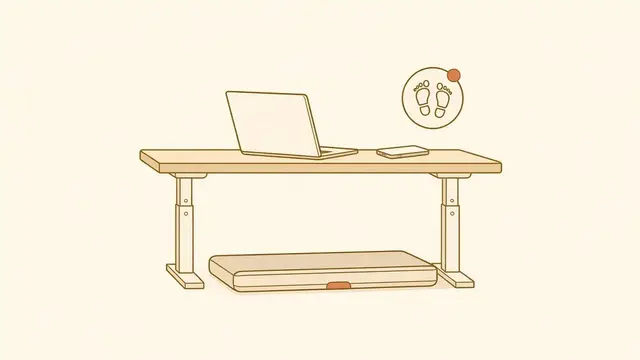
Tracked by Metrya Free tool: desk-walking NEAT calculator
 Tracked by DeskWalker
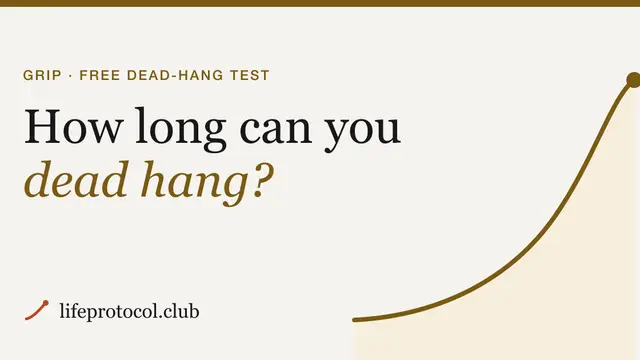
 Free tool: how long can you dead hang?
 Tracked by Hang Tracker
 Free tool: the Longevity snapshot
 Tracked by Longevity Arc Metrya · the whole picture
 One advisor reads all of it. Metrya keeps that record on your iPhone, so its AI advisor answers with your whole week in view.
"Your HRV dropped 12% this week."
True, and you already saw it on the chart. It names the change, not the reason."Your HRV drops the week you restart magnesium, but only when you're travelling and sleeping under six hours."
A sentence like this needs supplements, sleep, travel and enough history to see it twice. Example for illustration.Type "two eggs and avocado toast", snap a photo, or scan a barcode. Metrya estimates calories, macros and micronutrients, and your meals sit in the same record as your sleep and training.
Barcodes and search words go straight from your phone to Open Food Facts. Meal photos are read by the model you choose: on-device, or your own AI provider.
Track food with Metrya Creatine for strength, beetroot before a hard session, magnesium for sleep. Stack keeps your supplements in one place and lines them up against your own sleep, recovery and training data.
Track your stack with Metrya Want a method? Read how to test one supplement at a time.
Ask "why am I so tired this week?" and get an answer built from your numbers: last week's sleep, your training, what you ate, the supplements you skipped, and the flight on Tuesday. Not generic internet advice.
Why am I so tired this week?
The advisor can make mistakes. It's a wellness tool, not medical advice.
Log a habit in Metrya, like an earlier bedtime, a sauna routine or two hours of desk walking. Over 2–4 weeks it reads what your other apps wrote to Apple Health and shows how sleep, HRV, recovery and energy moved.
No servers in between: the apps share only through Apple Health, with your permission. Coming soon to Longevity Arc: weekly Zone 2 and strength rings that DeskWalker walks and Hang sessions can count toward.
Simple habits, what the research looks at, and how to see what they do for you.
Three relaxed sessions a week, then check what moved in your sleep and HRV.
Tracked by Metrya Easy walking during calls and email. Two hours a day, without extra time.
Tracked by DeskWalker A few short hangs from a doorway bar, every day. Track the seconds.
Tracked by Hang Tracker Same bedtime, same wake time, every day. Watch the trend over weeks.
Tracked by Longevity Arc Longer reads on sleep, fitness, recovery and supplements.
The tools on this site run in your browser and store nothing.
The apps keep your health data on your iPhone, with no account and no backend. They share only through Apple Health, with your permission.
Every benchmark links to its source. If there isn't good evidence for a number, we don't show one.
Calculators name their methods. Nothing you type is stored or sent.